Sales Force Automation Software to Accelerate Your Sales Growth
Streamline your sales operations, track field activities in real time, and close more deals faster with our powerful and easy to use Sales Force Automation (SFA) platform.
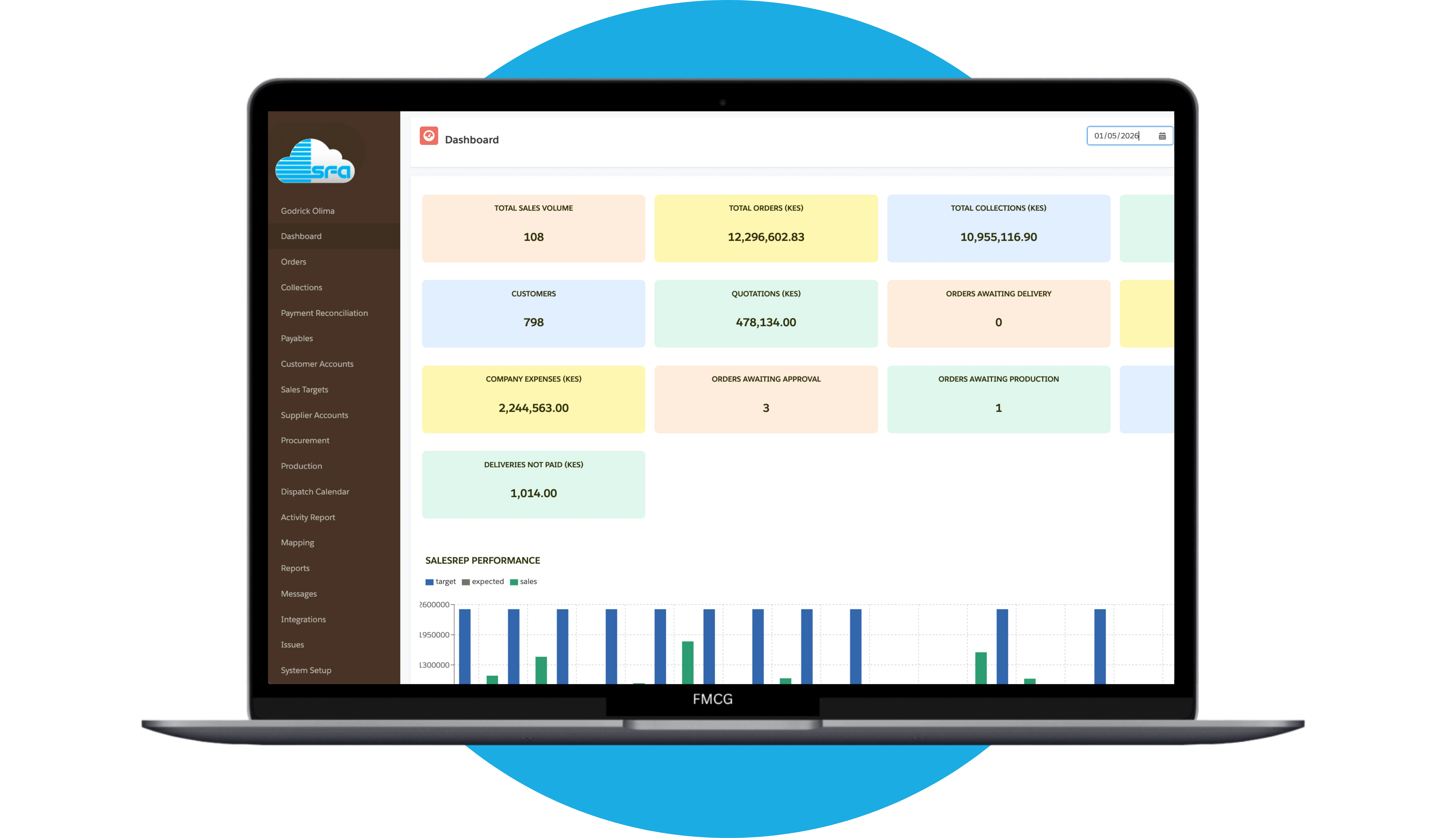
Monitor and manage your sales team’s performance in real time.
Automate order processing and reporting.
Gain actionable insights with advanced sales analytics
Improve field sales efficiency and customer engagement.
HOW SFA WORKS
How Sales Force Automation Works
Sales Force Automation (SFA) system simplifies your entire sales process from customer management to field sales tracking and deal closure—helping your team sell smarter, faster and more efficiently.
1. Capture & Manage Customers Efficiently
Easily capture customers from multiple channels, store customer data securely and track every interaction in one dashboard.

2. Track Field Sales Activities in Real Time
Monitor your sales team’s movements, visits and performance with real time field sales tracking tools designed for maximum visibility and accountability.

3. Manage Payment Collections
Track customer payments, monitor outstanding balances and collect payments faster with real-time visibility and automated workflows.
OUR FEATURES
Powerful Sales Force Automation Features for Field Teams
Discover a complete Sales Force Automation (SFA) system designed to help your team manage customers, track field sales activities, streamline payment collections and boost overall sales performance.
Unlock Your Sales Potential
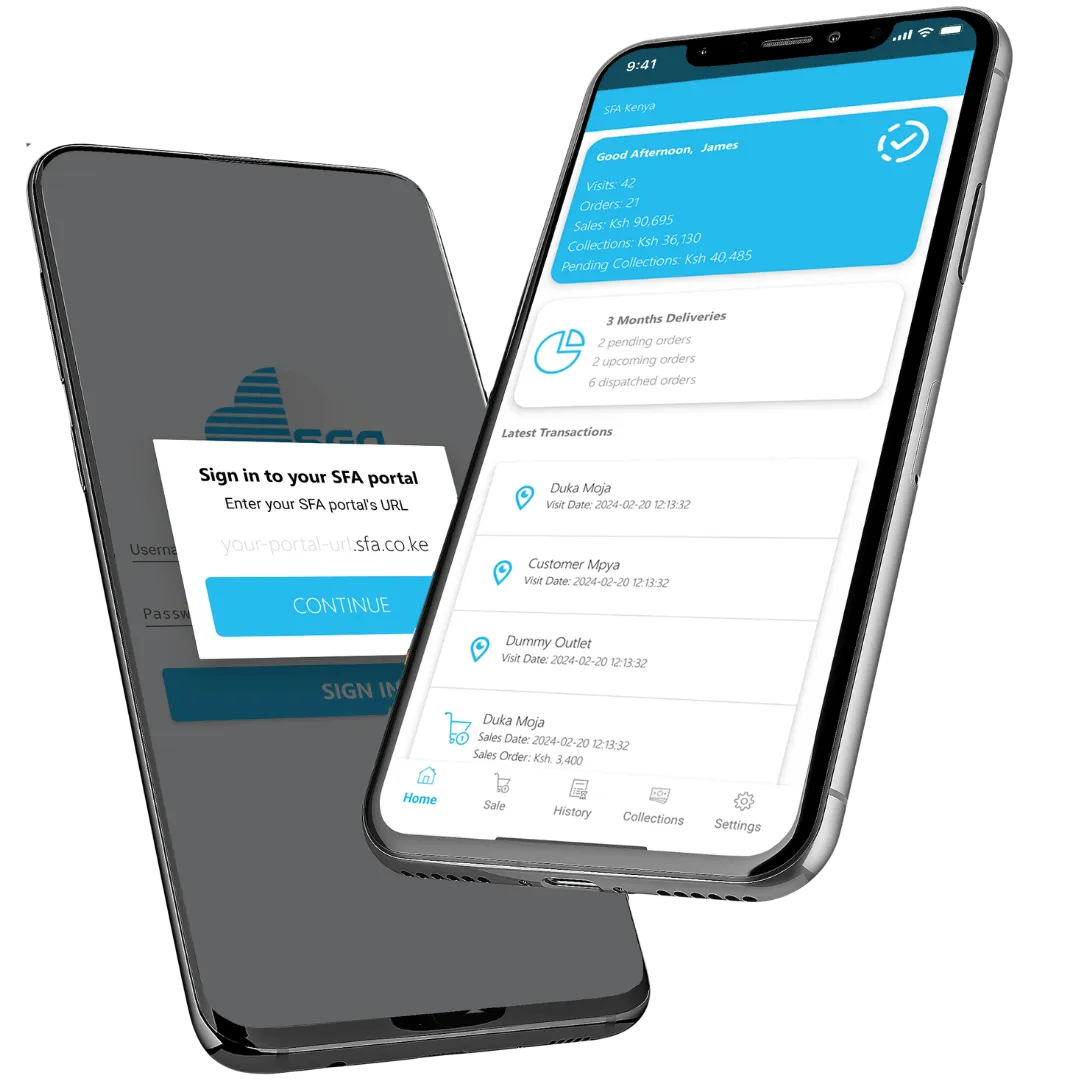
Empower your sales team with a mobile first sales automation platform built to increase productivity, improve visibility and accelerate revenue growth—whether in the office or in the field.
Real Time Sales & Field Insights Track sales activities, field visits, orders and payment collections in real time to make faster, data-driven decisions.
Centralized Customer & Sales Data Manage leads, customer information, orders, invoices and collections in one secure and easy to access platform.
Secure, Reliable & Cloud Based Access your sales data anytime, anywhere with a secure cloud based system designed for reliability, scalability and business continuity.
Companies Using Our Sales Force Automation Software (SFA)






Connecting Sales Teams and Opportunities
Sales Force Automation helps your team streamline sales processes, stay connected with clients and manage field operations efficiently.
Mobile Sales App for Field Teams Enable your sales reps to capture orders, update visits, and collect payments directly from their smartphones.
Route Planning & Territory Management Optimize field operations by assigning routes, journey plans and managing sales territories efficiently.
Payment Collections & Invoice Tracking Track outstanding balances, monitor collections, and improve cash flow with built-in payment management tools.
3
Countries
800+
Daily Users
10,000+
Monthly Orders
200+
Businesses
Our FAQs
Sales Force Automation
What is Sales Force Automation (SFA)?+
Sales Force Automation (SFA) is a software solution that helps businesses automate and manage their sales processes, including customer management, order processing, field sales tracking and payment collections. It improves efficiency, visibility, and overall sales performance.
How does Sales Force Automation improve sales performance?+
SFA software improves sales performance by automating repetitive tasks, providing real-time insights and enabling sales teams to focus on selling. It helps track leads,customers, monitor field activities and optimize decision making using data driven analytics.
Who should use Sales Force Automation software?+
Sales Force Automation is ideal for businesses with field sales teams, including FMCG companies, distributors, wholesalers and service providers. Any organization looking to improve sales productivity and streamline operations can benefit from SFA.
Can Sales Force Automation track field sales teams in real time?+
Yes, Sales Force Automation includes real-time tracking features that allow managers to monitor field sales activities, visits, routes and performance. This improves accountability and ensures better team coordination.
Does SFA software support payment collection and invoice tracking?+
Yes, SFA includes payment collection and invoice tracking features. Sales teams can record payments, track outstanding balances and improve cash flow visibility directly from the system.
Is Sales Force Automation software suitable for businesses in Kenya?+
Yes, Sales Force Automation software is highly beneficial for businesses in Kenya, especially those managing distributed sales teams. Our solution is tailored to local needs, including mobile access, offline capabilities and integration with mobile payment systems like M-Pesa and ERP systems.
What is the difference between CRM and Sales Force Automation?+
CRM (Customer Relationship Management) focuses on managing customer relationships and interactions, while Sales Force Automation specifically focuses on automating sales processes such as lead tracking, order management, and field sales activities. Many modern systems combine both features into one platform.
Manage Your Sales Anytime, Anywhere with Our SFA Mobile App
Streamline your sales operations, track field activities in real time, manage orders and collect payments on the go with our powerful Sales Force Automation mobile app.